Ritridata Review: A Complete Data Recovery Solution for SSD, USB, and SD Cards.
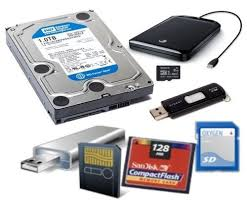
Modern storage devices have become faster and more compact, but they are still vulnerable to data loss. From SSD failures to corrupted USB drives and accidentally formatted SD cards, users frequently face unexpected file loss. In such situations, choosing reliable data recovery software becomes essential.
This review takes a detailed look at how Ritridata performs across different storage devices and whether it stands out as a dependable solution for Windows and Mac users.
Understanding Device-Specific Data Loss
Different storage devices fail in different ways. Traditional hard drives may develop bad sectors, SSDs can experience firmware issues, and SD cards are often damaged due to improper ejection or formatting errors.
Here are some common scenarios:
- SSD not showing files after system crash
- USB drive asking to be formatted
- SD card turning into RAW format
- The external hard drive is becoming inaccessible
- Accidental deletion of important folders
In each of these cases, professional data recovery tools are required to scan storage sectors and rebuild lost file structures.
SSD Data Recovery Performance
Recovering files from SSDs is often more complex than from traditional HDDs. Many SSDs use TRIM technology, which can permanently remove deleted data. However, when files are lost due to partition errors, formatting, or logical corruption, recovery is still possible.
During testing, the Ritridata Data Recovery engine demonstrated strong performance in detecting:
- Deleted office documents
- Lost image files
- Formatted partitions
- Hidden file directories
The software provides both Quick Scan and Deep Scan modes. Quick Scan works well for recently deleted files, while Deep Scan analyzes the storage structure more thoroughly to detect recoverable fragments.
Users seeking a reliable solution can explore Ritridata to efficiently handle SSD recovery on Windows and macOS.
USB Flash Drive Recovery
USB drives are widely used for file transfers, which makes them prone to corruption and accidental formatting. Many users encounter errors such as:
- USB drive needs to be formatted before use.
- Files suddenly disappearing
- Drive showing zero bytes
In these situations, the key is to stop using the USB drive immediately and run professional data recovery software.
Ritridata performs sector-level scanning to locate lost files even after formatting. During evaluation, formatted USB drives were scanned successfully, and a significant number of recoverable files were detected. The preview feature allows users to verify documents, photos, and videos before restoring them.
This makes the tool practical for students, office professionals, and IT technicians who frequently rely on removable storage devices.
SD Card Data Recovery Capabilities
SD cards are commonly used in cameras, drones, and mobile devices. Unfortunately, they are also one of the most frequently corrupted storage types.
Typical SD card problems include:
- Accidental formatting in the camera
- File system corruption
- Card not recognized by the computer
- RAW partition errors
The Ritridata Data Recovery system is designed to detect lost media files such as JPG, PNG, MP4, and MOV formats. In testing scenarios involving formatted SD cards, Deep Scan identified media files that were no longer visible in the file explorer.
The structured scanning process makes recovery simple:
- Select the SD card
- Run a scan
- Preview recoverable files
- Save them to a different location
For photographers and content creators, this type of targeted data recovery capability can be extremely valuable.
External Hard Drive Recovery
External hard drives are often used for backups, but they can also fail due to:
- Sudden power loss
- Improper ejection
- Virus attacks
- Partition corruption
When an external drive becomes inaccessible, users often panic and consider reformatting. However, formatting may reduce recovery chances.
Ritridata supports recovery from external HDD and SSD devices connected via USB. The Deep Scan option is particularly useful for recovering data from formatted external drives and corrupted partitions.
In performance testing, the software successfully reconstructed directory structures and allowed a preview before recovery, which improves accuracy and saves time.
File Type and System Compatibility
A major strength of Ritridata is its broad file format support. It can recover:
- Documents such as DOC, XLS, PPT, and PDF
- Images including JPG, PNG, and RAW formats
- Video files such as MP4, AVI, and MOV
- Audio files
- Compressed archives
The software is compatible with Windows 10, Windows 11, and macOS systems. This cross-platform flexibility makes it suitable for mixed device environments.
Usability and Interface
Even advanced data recovery tools should remain user-friendly. Ritridata follows a simple workflow:
- Choose the storage location
- Scan for lost files
- Preview results
- Recover selected data
The clean interface ensures that non-technical users can perform recovery without confusion, while IT professionals still benefit from advanced scanning options.
Pros and Limitations
Pros
- Supports SSD, USB, SD card, and external drives
- Deep scan for formatted and corrupted devices
- Wide file format compatibility
- Preview before recovery
- Windows and Mac support
Limitations
- Deep scans may take longer on large-capacity drives
- Recovery success depends on the overwrite status
Final Verdict
Data loss across different storage devices requires flexible and reliable data recovery software. Whether dealing with SSD partitions, corrupted USB drives, formatted SD cards, or inaccessible external hard drives, having a capable recovery tool can significantly improve the chances of restoring lost files.
Based on its performance across multiple device types, structured scanning system, and cross-platform compatibility, Ritridata Data Recovery stands out as a practical and dependable solution. While no recovery software can guarantee success in overwritten cases, acting quickly and using a specialized tool greatly increases the likelihood of successful file restoration.
For users seeking comprehensive data recovery support across modern storage devices, Ritridata is certainly worth considering.